Main logon steps
- Navigate to https://protect.eset.com
- Click on "Sign in with Microsoft Account"
- Use Account supplied in email (username should end with @esetvlabcsldev.onmicrosoft.com):
- Subject: ETeCTF - EPC/EIC Login Credentials - Temp Password
- From: NoReply@techconference.eset.com
- You should now be logged in.
Cannot login or Cannot reset password
Typical error: Login can’t be completed Problem: Your web browser has cached a prior login with a Microsoft Entra ID Account Solution:
- Navigate to https://myaccount.microsoft.com
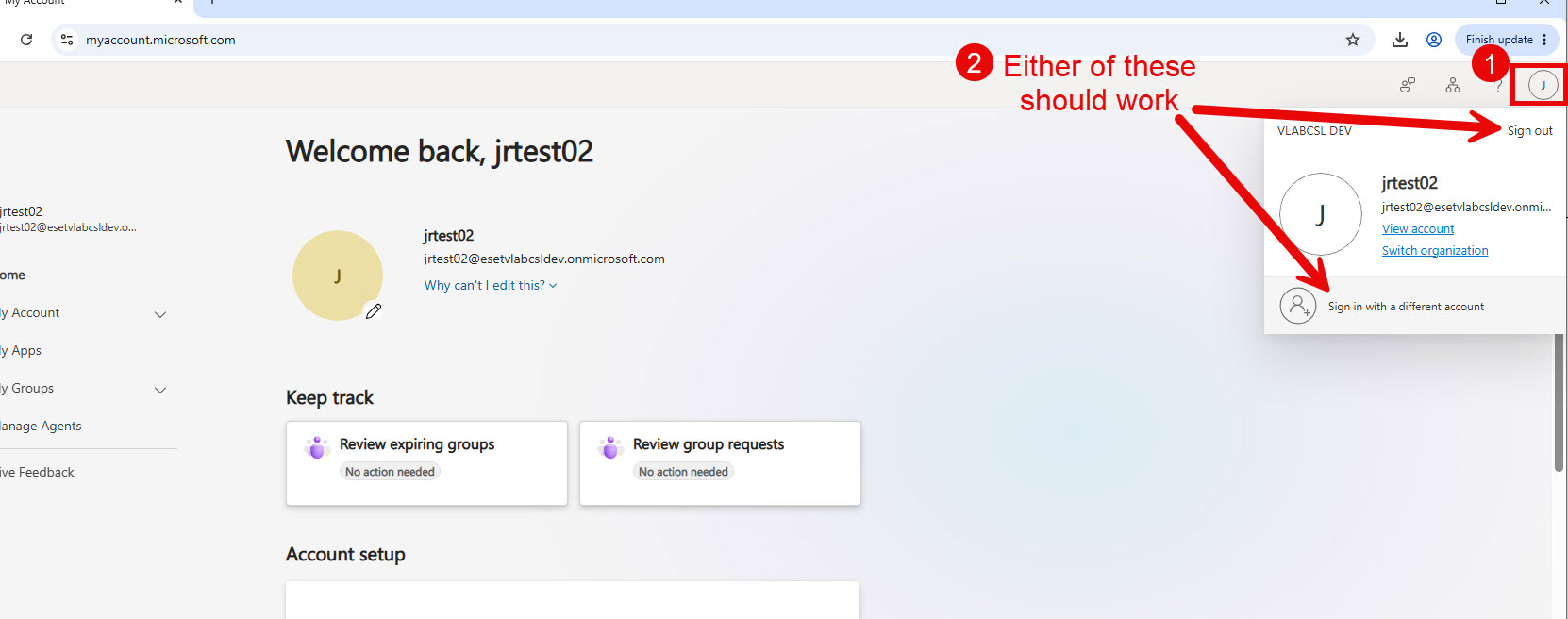
- If it shows you are logged in, click your profile icon in top right and either:
- Click “Sign out” then go back to protect.eset.com and click “Sign in with Microsoft Account”
- Or click “Sign in with a different account” and sign in with your assigned user name ending with a “@esetvlabcsldev.onmicrosoft.com”
- Example of what this should look like: